Submitting a Container Task (Code Development)
1. Preparation
Log in to the HPC Platform
Open your browser and visit:https://hpc4login.hpc.hkust-gz.edu.cn/#/app/user
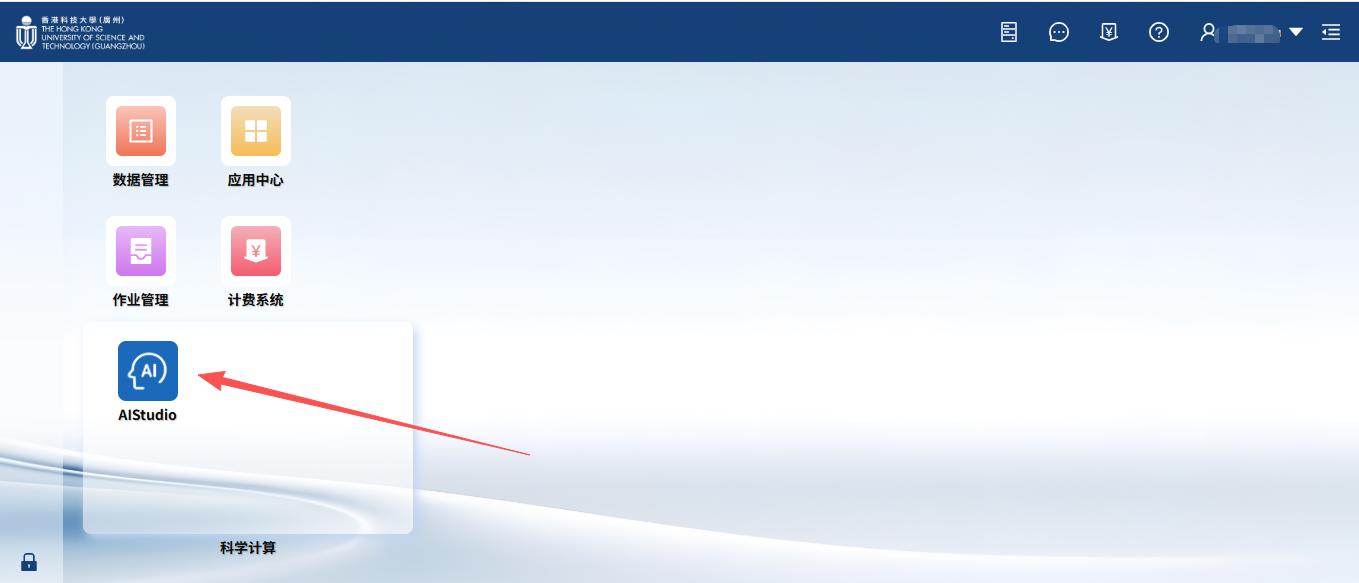
Open AI Studio for AI Code Development
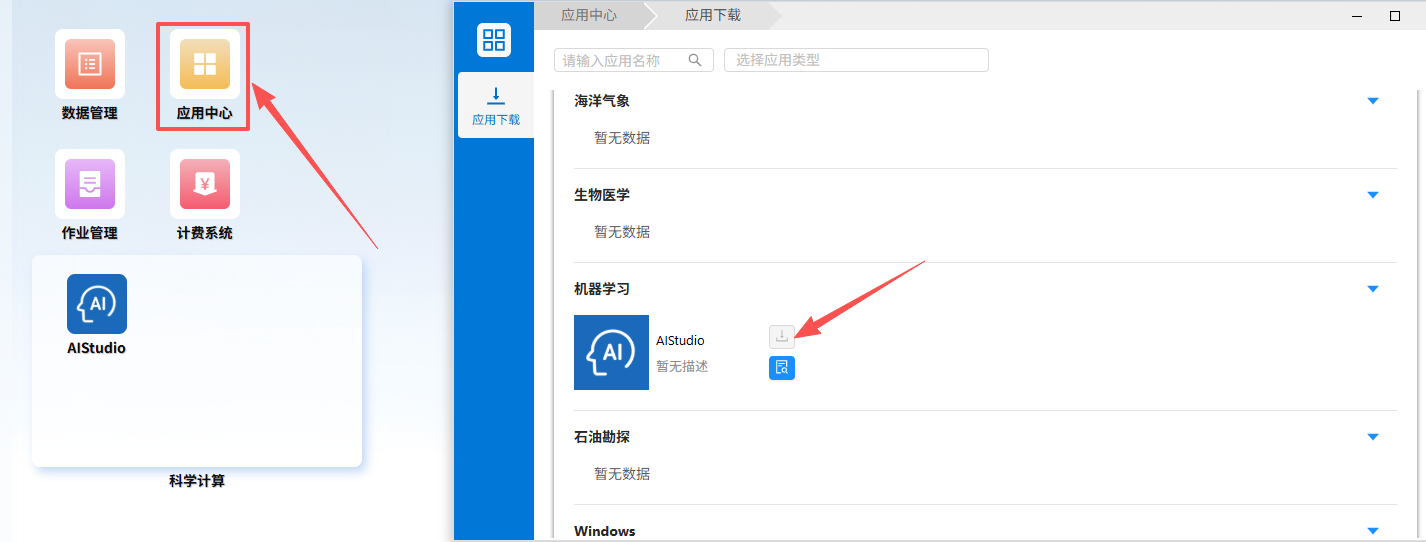
If the AI Studio application is not visible on the homepage, you can add it from the Application Center
2. Create a Container Task (Code Development Environment)
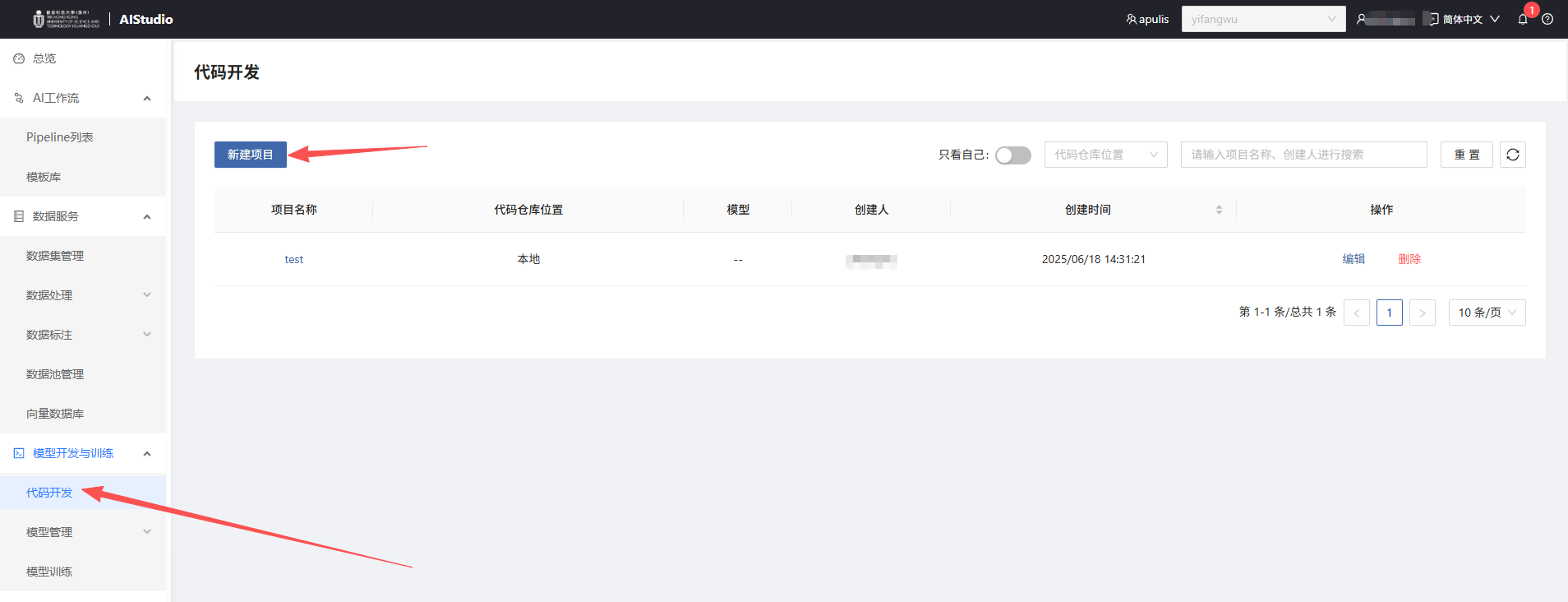
Create a New Project
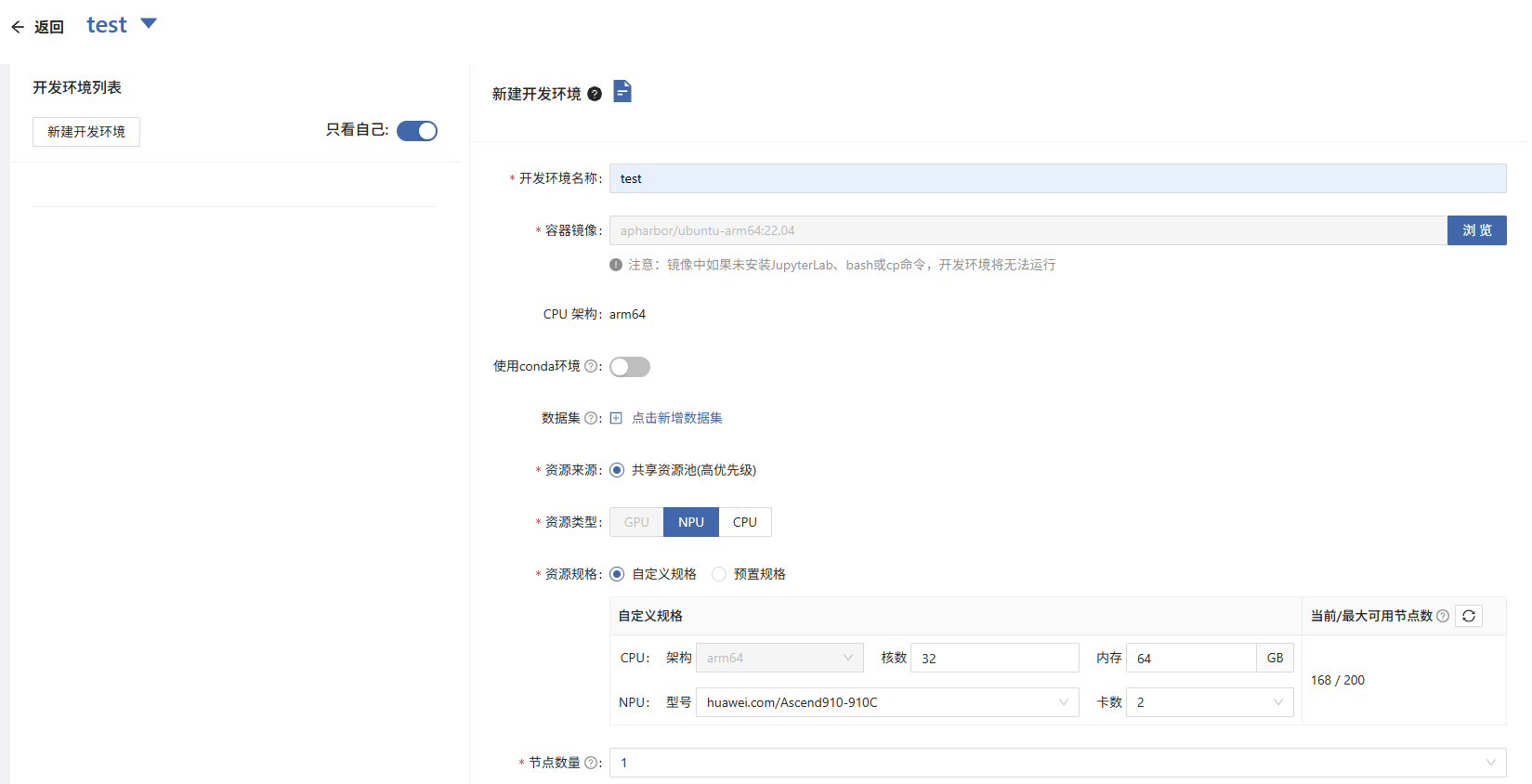
Create a New Development Environment
- Container Image: Specify the container image to start the environment
- Resource Type: Select
NPU,Important: The quantity must be a multiple of 2. (A single 910C card consists of two 910B chips. Therefore, selecting a quantity of 16 actually corresponds to 8 physical 910C NPU cards) - Resource Specification: Apply for specifications based on your needs
- Node Count: This refers to the number of Pods. Specify the required number of Pods for distributed training. The default is 1
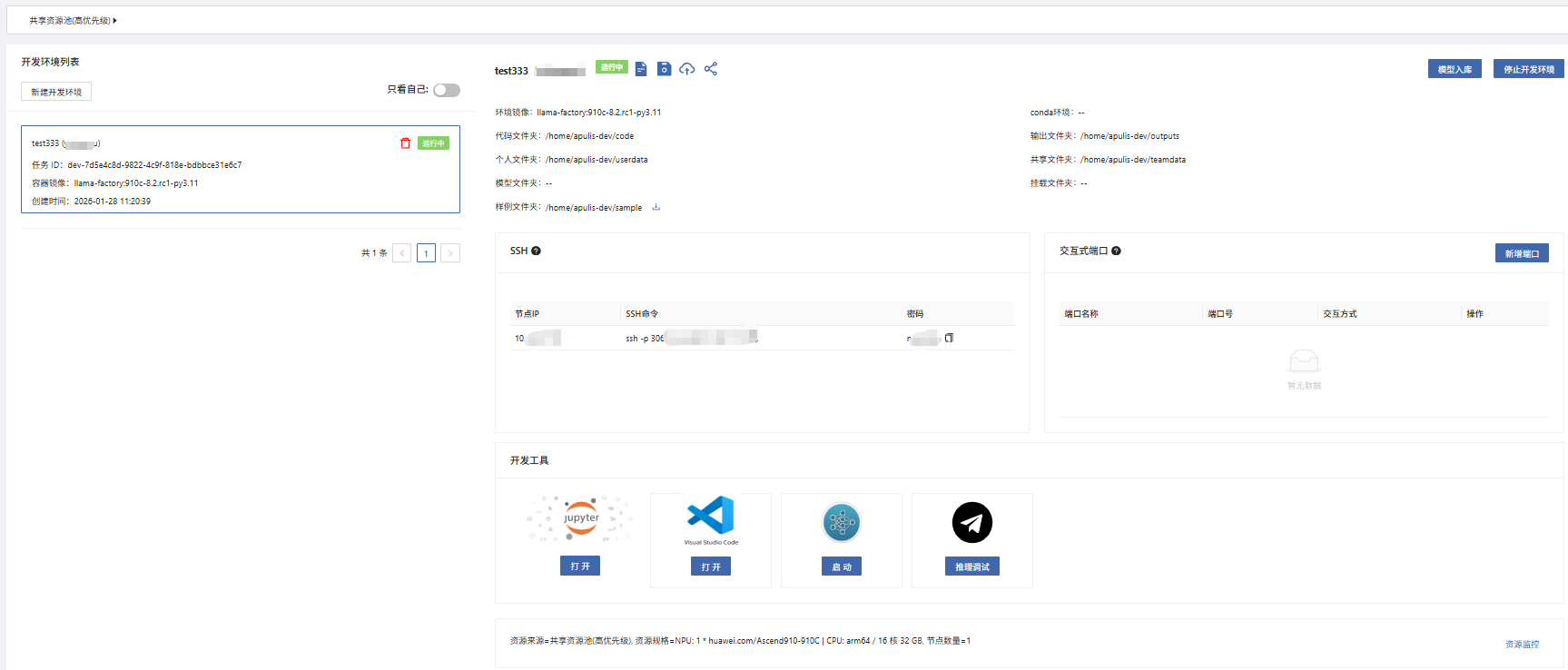
SSH Connection
- When the development environment status shows
running, the container has successfully started. - Copy the SSH information displayed on the page to connect to the container.
- Click Jupyter or VS Code to open the development interface directly in your web browser.
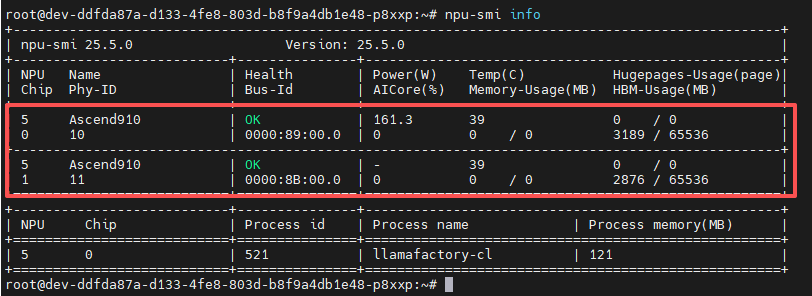
- Use the command
npu-smi infoto view the NPUs mounted to the container: One 910C card contains 2 chips, with each chip having 64GB of VRAM